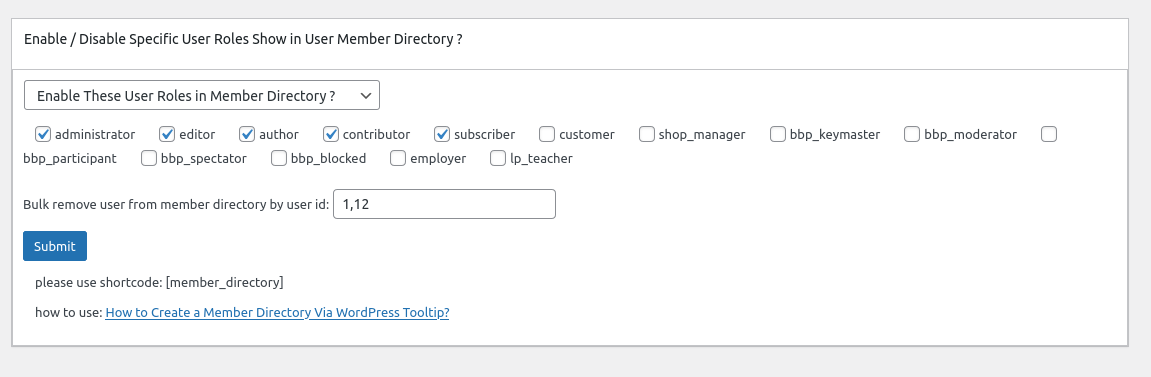
Hi, esteemed users of WordPress Tooltip, I hope this message finds you well and having happy days with your loved ones. Recently, we received a ticket from a WordPress tooltip plugin user regarding our member directory. After reviewing our member directory documentation, the user discovered that our WordPress Tooltips Pro Plus version offers numerous impressive member directory functions that align with their requirements. Consequently, they kindly requested that we incorporate the “Showing only the users from a designated user ID list in the member directory” function into the free version of our member directory plugin. 🙂
We are very happy to know the member directory user like our functions, we are happy to add more and more function from our wordpress tooltips pro plus plugin into member directory plugin 🙂
We have released Member Directory by WordPress Tooltips Plugin 2.2.3, in which support showing only the users from a designated user ID list in the member directory 🙂
How to Show only the users from a designated user ID list in the member directory
1: Crete a new wordpres post and insert the wordpress tooltip member directory shortcode :
[ member_directory include=’653,5,864’]
2: Inside the front-end page, you’ll see that the member directory will only display information about users with user IDs 653, 5, and 865.
What is WordPress Member Directory Plugin?
Member Directory, list all members on your site based on user roles, to help your company build a company address book, school portfolio… and so on, help users contact each other more easier
How to Use WordPress Member Directory Plugin
Member directory plugin is very easy to use, just inser wordpress Member directory shortcode [ member_directory ] in any page or post, you will get a member directory with pretty member directory template quickly
Further Reading: How to list specific type of users using fuzzy search in member directory of wordpress tooltip plugin?
Further Reading: How do I display only users with specific user roles from a specified list of user IDs in the Member Directory?
Further Reading: How to only display users with a specific role in the member directory and hide users from the specified user ID list?
Further Reading: How to disable a specified user from appearing in the member directory?
Further Reading: How to display only the users in a specified user ID list in the member directory?
… etc
What are tooltips?
Tooltips are small popup box with more information like video / audio / image / google maps / QR code / wiki / text… and so, tooltips box will pop up when users hover over an element in your pages, the element can be a word in your post, a search form input box, an image in your page, a widget on your sidebar.. and so on, wordpress tooltip plugin supports add tooltip effect on any element on the wordpress posts, or display on wordperss menu, comment, contact form, woocmmerce product, bbpress forum, buddypress activity…etc, with pretty effects and many more little amazing components and addons, for example, Bullets Screen 🙂
What it WordPress Tooltip Plugin:
WordPress tooltip pro is a tooltips plugin for wordpress, which be designed to help you create colorful, varied and graceful tooltip styles to present the content to your users, with lively and elegant animation effects, and save your valuable screen space.
When the users hover over an item, the colorful tooltip popup box will display with the animation effect. You can add video, audio, image, and even other content which generated by 3rd wordpress plugins like QR code, Amazon AD, Google Map in tooltip popup box via wordpress standard editor, it is very easy to use.
WordPress Glossary:
Thanks for the feature request to our member directory plugin, if you have any more question, please don’t hesitate to contact us, have a blessed day with your family
Best Regards,
WordPress tooltips plugin support