Tag: wordpress tooltip

WordPress Tooltip 7.9.6, Enhanced WooCommerce Tooltip Functionality

Hi Dear,

Based on user’s reqeusts, I just released wordpress tooltip plugin 7.9.6, in this version, I enhanced woocommerce tooltip functionality, now our woocommerce tooltip functions support woocommerce tooltip for woocommerce mix and match products, wordpress tooltip will scan content in woocommerce mix and match products and add tooltips effects in woocommerce mix and match products automatically, also our woocommerce tooltips support woocommerce tooltip for woocommerce additional information / woocommerce product attribute, our woocommerce tooltip will scan woocommerce product attribute in woocommerce additional information tab, and add tooltip effect on woocommerce product attribute automatically too, and our woocommerce tooltip addon support woocommerce tooltip on woocommerce product name on the woocommerce product review panel, thanks for amazing feature requests, any more feature request is welcome, we are very happy realize it for you 🙂

You can check demo at woocommerce tooltip demo

Thanks, have a blessings day with your family 🙂

Best Regards,
Tomas Zhu

Tagged with: , , , ,

How to Create a WordPress Tooltip Support Ticket?

Hi,

If you have any question about wordpress tooltip plugin, we are very happy to help you,  please:

#1 Please login your wordpress tooltip account at https://tooltips.org

#2 After you logged in your tooltips.org account, then click the link “submit ticket” on the top menu bar, wordpress tooltip support ticket menu

#3 You will find ticket panel, and you can open ticket, delete ticket, manage ticket

If you forget to login tooltips.org, and just click support ticket menu item directly, you will be redirected to login panel, after logged in wordpress tooltip pro site,  please click “submit ticket” at the top menu bar.

For security reason, we have disabled attachment upload functionality in support ticket, you are welcome to share screenshots with us via https://screenshot.net/ to share your screenshots with us, it is very easy to use, just 3 seconds, you can upload images and get a screenshot URL, please just share this screenshot URL with us, it looks like this:

You are very welcome to submit a ticket via wordpress tooltip support ticket menu, we are very happy to help you 🙂

Thanks, have a blessings day with your family  🙂

Best Regards,
Wordpress ToolTips Support Team

Updated by wordpress tooltip support at 2019-04-14: How to Create a WordPress Tooltip Support Ticket

Tagged with: , , ,

WordPress Tooltip 7.9.0, Improved Image Tooltip, Generate Tooltips Style Automatically

WordPress Tooltip 7.9.0 released, based on users requests, we improved our tooltips for wordpress:

#1  Fixed problem of large size image tooltip dislocation

#2  When activate tooltips plugin, wordpress tooltip plugin will auto scan setting of each tooltips to regenreate tooltips style of each tooltips automatically

#3 Fixed problem of use an image as image tooltip for another image

#4  Added “Silence is golden” index.php to each folder of wordpress tooltip plugin to enhance security
Fixed problem of use image as image tooltips

#5 Added how to generate unique customized tooltips for each wordpress tooltip terms


We are still adding new features for our wordpress tooltip plugin, you will see new version soon 🙂

Thanks, have a blessings day with your family 🙂

Wordspress Tooltips Support Team

Tagged with: , , , ,

How to customize the style for each tooltip with WordPress Tooltips Pro

We are excited to release a newest version: “WordPress Tooltips Pro 7.8.0!” recently. The biggest improvement of WordPress Tooltips Pro 7.8.0 is customizing the different style for each tooltip.

We provide custom style setting for each individual tooltip. Our users can personalize their own style for each individual tooltip, all the tooltips look different on the page. The awesome feature make your tooltips more lively and flexible.

Here is demo:

I am an unique toolip of example 1

I am an unique toolip of example 2

I am an unique toolip of example 3

How to use?

1. Create a new tooltip

Access the WordPress Dashboard, and click Tooltips –> Add New, You can add any HTML elements to the tooltip include images, link as well as text in your WordPress post text editor.

If you prefer, please read the tutorial: How to Create Your First Tooltips In WordPress Tooltips Pro Plugin.

2. Customize your favorite style for the tooltip

Congratulations! you have just created a new tooltip. If you do not set the style just for the tooltip, this tooltip will use the global Tooltips Style Settings. How to set the global Tooltips Style Settings?

If you prefer, please read the tutorial.

If you want this tooltip unique and different from other tooltips, you can set the style for this tooltip individually. Scroll to the bottom of the page, you will see the panel “Custom Unique Style for This Tooltip“.

How to customize the style for each tooltip with WordPress Tooltips Pro

How to customize the style for each tooltip with WordPress Tooltips Pro

1 ) Select the option “Yes, I will customize a unique style for this tooltip at below“.

NOTE: If you don’t select the option, individual custom style won’t work!

wordpress tooltips panel "Tooltip Box Customize Setting finish settings"

wordpress tooltips panel “Tooltip Box Customize Setting finish settings”

2 ) Filling out all the fields in the panel “Tooltip Box Customize Setting finish settings”.

NOTE: All fileds are required. Please ensure all the fields are not empty, or else your page may be messed up.


Author: WordPress Tooltip Designer
How to customize the style for each tooltip with WordPress Tooltips Pro


Tagged with: , , ,

Updated Features of WordPress Tooltips Plugin Page

Hi Dear,

Based on users requested, we have updated features of wordpress tooltips plugin page:
#1 We have updated new change logs on features of wordpress tooltip plugin page

#2 We have added effects of “unique pretty tooltips style for each tooltips” on features of wordpress tooltip plugin page

#3 We added woocommerce tooltips section to describe features of woocommerce tooltips with more detailed text and screenshots

#4 We added wordpress tooltip plugin free version download link, so before you purchase a pro version, you can try our free wordpress tooltip plugin first

#5 Fixed a few English words

We are developing a new version wordpress tooltip plugin which have a few amazing wordpress tooltips effect, based on users’ requesting, you will see it soon 🙂

Thanks, have a blessings day with your family 🙂

Best Regards,
Wordpress Tooltips Support Team

Tagged with: , , , ,

Demos of add different unique tooltips style for each tooltips

Hi Dears,

Since wordpress tooltips pro 7.8.0, our wordpress tooltip plugin support add different unique tooltips style for each tooltips, to help you offer more colorful and varied and graceful forms to presenting your content to users with a lively and elegant effect, you can see demo in front end at:

WordPress Video Tooltips Demo

and

Features of WordPress Tooltips Plugin

You will find each tooltips have different unique tooltips style.

Update at 2022-05-01, in wordpress tooltip site, we have build a few demos to display how to add different pretty style for each wordpress tooltip terms, you can find wordpress tooltip demo at here, also if you check our top menu bar, you will find a few menu items have their own unique pretty tooltip style and action  🙂

In wordpress tooltip site, we have build a few demos to display how to add different pretty style for each wordpress tooltip terms, for example, please check and hover the menu item Menu Tooltip Demo, you will find the dedicated pretty style and action for this tooltip term, and if you check the menu item wordpress tooltip plugin, you will find another unique pretty tooltip effect on this wordpress tooltip term 🙂

Any thought or request is welcome 🙂

Thanks, have a blessings day with your family 🙂

Best Regards,
Wordpress Tooltips Support Team

Tagged with: , , ,

Sometimes, wordpress tooltips shortcode not working?

Hi Dears,

We received an amazing user’s ticket, in which told us a shortcode not working more, We checked shortcode problem, we are using tooltips pro 7.8.0, and we found wordpress tooltips works well, we make the shortcode demo at https://tooltips.org/how-to-use-wordpress-tooltip-shortcode-tooltips-to-add-tooltips-manually/ , I guess a maybe reason is, when you using wordpress editor or some page editor editing your posts, some of them will change “‘” and “”” in post content, I mean, if you are using shortcode like this:

[tooltips keyword="lovely girls" content="< img src='https://mydomain.com/wp-content/uploads/2017/02/screenshot.png' >"]

when you edit the post again, some wordpress editor or page builder will change it as:
[tooltips keyword="lovely girls" content='< img src="https://mydomain.com/wp-content/uploads/2017/02/screenshot.png" >']

In this case, it can not work, what you need is when you editing a post which have tooltip shortcode, be care of this, just change back it to something like:
[tooltips keyword="lovely girls" content="< img src='https://mydomain.com/wp-content/uploads/2017/02/screenshot.png' >"]

then it will works well just like our demo at https://tooltips.org/how-to-use-wordpress-tooltip-shortcode-tooltips-to-add-tooltips-manually/ , it is driving by tooltips shortcode 🙂

Thanks, have a blessings day with your family 🙂

Best Regards,
Tooltips Support Team

Tagged with: , ,

Lists of How to Use WordPress Tooltip Shortcode

Hi Dears,

We received an amazing client’s question of how to use wordpress tooltip shortcodes, please just check this wordpress tooltip plugin shortcode posts tag: Tag: tooltip shortcode, and you will find all shortcode tutorials like this:

How to add multimedia tooltip to an image using tooltip shortcode

How to add Video Tooltip using tooltip shortcode

How to add Audio Tooltip using tooltip shortcode

How to diable the other tooltip and only display your specially designated tooltip in a certain post

How to disable wordpress tooltip for a specific page

How to use wordpress tooltip shortcode [tooltips] to add tooltips manually?

WordPress Tooltips Video Tutorial 10: Import WordPress Tooltips From csv

WordPress Audio Tooltips Demo

WordPress Image Tooltips Demo

WordPress Video Tooltips Demo

…

We are adding more wordpress tooltip plugin shortcodes, also we are adding more guide and video for how to use wordpress tooltip shortcode,we will update this list once we have new updates 🙂

Thanks, have a nice new year, have a rich new year, have a health new year! With your family! 🙂

Best Regards,

WordPress Tooltip Support Team

Tagged with: , ,

How to diable the other tooltip and only display your specially designated tooltip in a certain post

Presentations for wordpress tooltip shortcode [tooltip_by_id]

WordPress tooltip shortcode [tooltip_by_id] is a new feature since wordpress tooltip plugin 7.5.0, why to design the shortcode and how to use it?

A tooltip user told us he wanted to display a certain tooltip and disable other tooltip in a post. We believe this is an very useful function to help user to display a focus for a certain post and attract the reader’s attention. So we add the new feature for wordpress tooltip plugin 7.5.0.

How to use?

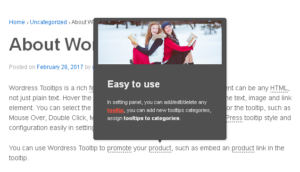
In the image, we can see many tooltips appearing in the post.

1. Diable all the tooltip

Access the WordPress Dashboard, and go into the post editor, you can see “Tooltip settings for this page” in the sidebar, checked ” Disable all tooltips”.

You will find the tooltip disppear in the post.

2. Display your specially designated tooltip with wordpress tooltip shortcode [tooltip_by_id]

The shortcode looks like this: [tooltip_by_id tooltip_id='323'], ‘323’ is tooltip id.

How to know the tooltip id?

You can find tooltip id at all tooltips panel — http://yourdomain.com/wp-admin/edit.php?post_type=tooltips, when you mouse hover the link edit under each tooltip post, you will find links like this:
http://yourdomain.com/wp-admin/post.php?post=323&action=edit, the 323 is your tooltip id

Input wordpress tooltip shortcode [tooltip_by_id] in your text editor

Your specially designated tooltip display in the post

Tagged with: , , ,

Tooltips.org Support System Upgraded

Hi Dears,

We just re-developed our support system, for help users create wordpress tooltip support ticket more easier, now when you logged in tooltips.org, you will be redirected to tooltip my account page, in the left hand of my account page, you will find a few tabs to help you manage Orders, Downloads, Addresses, Account details, or Logout, also you will find wordpress tooltip “Support Ticket” link in my account tabs, once you clicked the Support Ticket, you can create a new support ticket or manage your tickets 🙂

We are developing a new version based on users’ amazing feature requests 🙂

Thanks, have a blessings day with your family 🙂

Best Regards,
Wordpress Tooltip Support Team

Tagged with: , ,
Top