Tag: wordpress glossary plugin

WordPress Tooltips Glossary Plugin 12.8.4, ACF Tooltip Support ACF Multiple-Field in ACF Field Groups

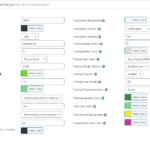
wordpress tooltip customize setitngs panel

Hi Dear WordPress Tooltip Glossary Users,

Hope this message find you are doing well and have happy days with your family! 🙂

We are happy to report you, we just released wordpress tooltip plugin 12.8.4 🙂

We get a ticket from an amazing user of wordpress tooltip plugin, in which he said he using our ACF tooltip addon, and he hope ACF tooltip support multiple-field in ACF plugin Field Groups, after dig into ACF plugin, we realized this amazing user’s amazing feature request 🙂

WordPress Tooltips Glossary Plugin 12.8.4, ACF Tooltip Support ACF Multiple-Field in ACF Plugin Field Groups

What is ACF plugin multiple-field in ACF plugin Field Groups? It looks like this:

multiple field settings in field groups of ACF plugin

multiple field settings in field groups of ACF plugin

In ACF plugin, you can set up multiple fields in ACF field groups, for example, select options, checkbox options… and so on, then you can select show specific fields in front end in your wordpress editor, it looks like this:

multple-field-in-ACF-plugin

Show multiple field of ACF wordpress plugin in front end

Then in front end, wordpress tooltip plugin will scan your ACF plugin fields in front end, let’s say if you have created a tooltip term “red”, then wordpress tooltip ACF tooltip addon will add tooltips effect in the ACF filed “red” in front end automatically 🙂

This is a great suggestion of ACF tooltip, if you have any question or suggestion of wordpress tooltip plugin, please don’t hesitate to tell us 🙂

Thanks, have a blessed day with your family 🙂

Best Regards,
Wordpress Tooltip Glossary Plugin Support Team

Tagged with: , , , ,

WordPress Tooltip Glossary Plugin 12.8.2, Support Customize Numbers of Items per Page in Glossary Pagination

Wordpress Tooltip Plugin

Hi Dear WordPress Tooltip Glossary Users,

Hope this message find you are doing well and having happy weekend with your family! 🙂

We get an amazing wordpress tooltip user’s suggestion, in his ticket, he said, in last version, allow user to enable and disable wordpress glossary pagination function is good, but wordpress tooltip plugin should allow wordpress glossary plugin users to change the numbers of items per page in wordpress glossary pagination, in our last version, it always hard code to show 30 glossary items in wordpress glossary page, but some users hope show more glossary items in one wordpress glossary page, and other users may be want to show less wordpress glossary items in wordpress glossary page, for example, if glossary items have large videos, then show 30 glossary is not a smart way, so it is better to allow wordpress tooltip users to decide how many glossary items show in glossary page, we agree with this, this is a excellent suggestion, we accept it 🙂

Our developer have re-developed our plugin to support his suggestions of wordpress glossary pagination section, now in WordPress Tooltip Glossary Plugin 12.8.2, we will support:

Customize Numbers of Items per Page in WordPress Glossary Pagination

In back end of wordpress glossary style settings panel, you will find the new option “Pagination – Numbers of Items per Page”, it looks like this:

glossary settings panel in wordpress tooltip glossary plugin 12.8.2

glossary settings panel in wordpress tooltip glossary plugin 12.8.2

At the bottom of the wordpress glossary style settings panel, you will find the “Pagination – Numbers of Items per Page” option, just enter the number of glossary items, and click “Save Changes” blue button, in front end, you will find the glossary items in glossary page will be changed as you customized in here 🙂

Thanks for the great suggestion for wordpress tooltip glossary plugin, we get Tons of suggestion, from wordpress glossary, to wordpress tooltip, to woocommerce tooltip…. we are try our best to finish them asap we can. If you have any question or suggestion of wordpress tooltip plugin, please don’t hesitate to tell us 🙂

Thanks, have a blessed weekend with your family 🙂

Best Regards,
Wordpress Tooltip Glossary Plugin Support Team

Tagged with: , , , ,

How to Enable WordPress Glossary Categories Filter in WordPress Glossary Archives Page?

Hi Dear WordPress Tooltip Glossary Plugin Users,
Hope this message find you are doing well and have happy days with your family! 🙂
A wordpress tooltip plugin user asked us this question, I ensure may be more wordpress tooltip users have the same question, I am happy to reply the question in this wordpress tooltip knowledge base publicly:

How to Enable WordPress Glossary Categories Filter in WordPress Glossary Archives Page?

1: Login your wordpress site back end

2: Click “Tooltips” menu item

3: Click “Glossary Settings” sub menu item, then you will open “Glossary Settings” panel

The “Glossary Settings” panel looks like this:

glossary settings panel

glossary settings panel

4: In “Glossary Settings” panel, you will find “Support Select Glossary Category in Glossary Archives Page ?” option, please select “Yes”

5: Click blue “Save Changes” button

6: In front end, in wordpress glossary archive page, you will find the wordpress Glossary Categories filter, it looks like this:

wordpress glossary category filter

wordpress glossary category filter

7: Just select glossary category from wordpress glossary categories filter, you will find in glossary archive page, we will just show glossary term which related with specific glossary category 🙂

That’s all

In recent months, we have released a lot of version to improve wordpress glossary functionality for wordpress tooltip plugin, we are still adding new features for wordpress glossary plugin, if you have any more feature request, please don’t hesitate to tell us 🙂

Thanks, have a blessed day with your family 🙂
Best Regards,
WordPress Tooltip Glossary Plugin Support Team
Tagged with: , , , ,

WordPress Tooltips Plugin 12.7.8 Released, Added Glossary Paginate Navigation at the Top of Glossary List Page too

Hi Dear WordPress Tooltip Glossary Plugin Users,
Hope this message find you are doing well and have happy weekend with your family! 🙂
Based on wordpress tooltip user’s feature request, we released wordpress glossary plugin 12.7.8 🙂
A user told us, the glossary paginate navigation looks good, it is helpful, but it is a little hard to find wordpress glossary paginate navigation links, because these glossary paginate navigation links is at the bottom of the glossary lists, so if we can add glossary paginate navigation at top of wordpress glossary list and bottom of wordpress glossary page, it is better 🙂
This is an amazing feature request, we agree it, our developer give up his weekend to developed a new wordpress tooltip version 12.7.8 to realize it, now when wordpress tooltip users enabled “Enable Glossary Paginate Navigation” in glossary settings panel, in front end, wordpress glossary plugin will not only show wordpress glossary  paginate navigation at the bottom of glossary list, but also add glossary paginate navigation at the top of glossary list,this will make life more easier 🙂
Also we tweak tooltip glossary css. 🙂
Thanks for the great idea, thanks for share your amazing suggestion with us 🙂 If you have any question or suggestion of wordpress tooltip plugin, please don’t hesitate to tell us, we are very happy to make a powerful and user friendly wordpress glossary plugin for you 🙂
Thanks, have a blessed day with your family 🙂
Best Regards,
WordPress Glossary Plugin Support
Tagged with: , , , ,

WordPress Tooltips Plugin 12.7.4 Released, Added “Enable Glossary Paginate Navigation” Option in “Glossary Customize Setting” Panel

Hey Dear WordPress Tooltip Glossary Plugin Users,
Hope this message find you are doing well and have happy weekend with your family! 🙂
We get an wordpress tooltip user’s ticket, in which he suggested allow users to enable or disable glossary paginate navigation option in back end, because it is not each users like use glossary paginate navigation under glossary index page, actually, only heavy wordpress glossary users which have huge glossary terms need use glossary paginate navigation, his tooltip site just have 100 glossary terms, he hope show all glossary terms to users in one time 🙂
This is a great suggestion, our developer developed a new wordpress tooltip plugin version asap he can, and after test many times, we released wordpress tooltip plugin 12.7.4 🙂
Now in wordpress glossary settings panel, we added “Enable Glossary Paginate Navigation” option in “Glossary Customize Setting” setting panel, if you enable “Enable Glossary Paginate Navigation” option, in glossary page, we will show paginate navigation under glossary list. If you disable “Enable Glossary Paginate Navigation” option, in glossary page, we will remove paginate navigation under glossary list. By default, if you did not set up “Enable Glossary Paginate Navigation” option, we will not show paginate navigation under glossary list 🙂
The  “Enable Glossary Paginate Navigation” option in “Glossary Customize Setting” setting panel looks like this:
wordpress glossary plugin 12.7.4 settings panel

wordpress glossary plugin 12.7.4 settings panel

If you have any question or suggestion of wordpress tooltip plugin, please don’t hesitate to tell us 🙂
Thanks, have a blessed day with your family 🙂
Best Regards,
WordPress Tooltip Glossary Plugin Support Team
Tagged with: , , ,

Updates of This Week on WordPress Tooltip Site

Hi Dear WordPress Tooltip Glossary Users,
Hope this message find you are doing well and having happy weekend with your family! 🙂
We have many changes in this week on wordpress tooltip site:
1: We rewrite description of WordPress Pay With a Comment Plugin
2: We rewrite plugin description of WordPress Pay With a Login or Register Plugin
3: We rewrite plugin description of WordPress Pay With a Link Plugin
4: We added a few wordpress tooltip how to document in wordpress tooltip knowledge base:
5: We released a new version of wordpress tooltip plugin to add tooltip paginate navigation links for wordpress glossary: WordPress Tooltips Plugin 12.7.0 Released, Added Paginate Navigation Links in Glossary Page
6: We released a new version of wordpress 404s plugin:
Please upgrade your plugins in wordpress tooltip plugin account. If you have any question or suggestion of wordpress tooltip plugin, please don’t hesitate to tell us 🙂
Thanks, have a blessed weekend with your family 🙂
Best Regards,
WordPress Tooltip Glossary Plugin Support Team
Tagged with: , , ,

WordPress Tooltips Plugin 12.7.0 Released, Added Paginate Navigation Links in Glossary Page

Hi, WordPress Tooltip Glossary Plugin Users,

Hope this message find you are doing well and having happy weekend with your family! 🙂

We are happy to report you, we just released wordpress tooltip glossary plugin 12.7.0, changes in wordpress tooltip glossary plugin 12.7.0:

WordPress Tooltips Plugin Support add Paginate Navigation Links in Glossary Page

An amazing user write to us, said he have x,000s glossary terms, so when loading glossary page, it used many munutes, he hope we can add paginate functions for glossary page, this is a great suggestion, we re-developed our wordpress tooltip plugin to realize this feature, since wordpress tooltip 12.7.0, in wordpress glossary page, wordpress tooltip plugin added paginate navigation links, if the number of glossary terms more than 30, wordpress glossary plugin will show paginate navigation links at the bottom of the glossary pages, you will see navigation links previous , 1,2,3…, next.. and so on, and per glossary page will only show 30 glossary terms, it looks like this:

paginate navigation links in glossary page

paginate navigation links in glossary page

Thanks for the amazing feature request for wordpress tooltip ,  Any question or suggestion for wordpress glossary plugin, please don’t hesitate to tell us, we are always happy to offer an amazing wordpress tooltip glossary plugin for you.   🙂

Thanks, have a blessed weekend with your family 🙂

Best Regards,
Wordpress Tooltip Glossary Plugin Support Team

Tagged with: , , ,

WordPress Tooltip Glossary Plugin 12.6.0 Released

Hi!  Dear Users of WordPress Tooltip Glossary Plugin,
Hope this message find you are doing well and having happy days with your family! 🙂
We are happy to report you, we have re-developed our wordpress glossary plugin, and released wordpress glossary plugin version 12.6.0.

Changes in wordpress tooltip glossary plugin:

As you known, in recent weeks,  we have released many versions of wordpress tooltip glossary plugin, based on wordpress glossary plugin user’s suggestions, we get Tons of feature request on wordpress glossary features, so we were focus on improve wordpress glossary functions in last days, from a simple wordpress glossary plugin, growth as a powerful and complex wordpress glossary plugin, now codes of wordpress glossary modules is a bit large,   in this wordpress tooltip glossary plugin version 12.6.2, we moved glossary shortcodes functions to a dedicated php file, for improve functions of glossary shortcodes,  also we re-structure glossary global settings modules for works better 🙂
If you have any question or suggestion of wordpress tooltip plugin, please don’t hesitate to tell us 🙂
Thanks, have a blessed day with your family 🙂
Best Regards,
WordPress Tooltip Glossary Plugin Support Team
Tagged with: , , ,

How to Enable or Disable WordPress Tooltips in WordPress Glossary Index Page or Glossary Term Pages?

Hi WordPress Tooltip Glossary Users,
We get a user’s ticket, in which he asked us how to enable or disable wordpress tooltips show in glossary index page or glossary terms pages, I think maybe more users have the same question, I am happy to reply in here publicly 🙂

How to Enable or Disable WordPress Tooltips in WordPress Glossary Index Page or Glossary Term Pages?

1: Login your wordpress site admin area

2: Click “Tooltips” menu item

3: Click “Glossary Settings” sub menu item, you will open “Glossary Settings” panel

4: In “Glossary Settings” panel, you will find “Disable Tooltips in Glossary Page” option box, it looks like this:

glossary settings panel

glossary settings panel

5: In “Disable Tooltips in Glossary Page” option box, just select “Enable Tooltips in Glossary Page” or “Disable Tooltips in Glossary Page”, and click “Save Changes” blue button at the bottom of the page

6: Changes will start work in front end instantly 🙂

We are developing a new version to improve wordpress glossary functions, you will see it soon 🙂

If you have any question or suggestion of wordpress tooltip plugin, please don’t hesitate to tell us 🙂
Thanks, have a blessed day with your family 🙂
Best Regards,
WordPress Tooltip Glossary Plugin Support Team
Tagged with: , , ,

WordPress Tooltips Glossary 12.5.0 Released, Enhanced Glossary Search Functions

Hey Dear WordPress Tooltip Glossary Plugin Users ,
Hope this message find you are doing well and having happy days with your family! 🙂
We are happy to report you, we just released wordpress tooltips glossary 12.5.0 plugin, changes in this version:

WordPress Tooltips Glossary New Version,  Enhanced Glossary Search Functions, Support Cancel the Previous Search

We received an amazing user’s ticket, in which he requested:
when I use the search bar below the nav bar, it finds the searched word but then you cannot go back because the search has changed the  address of the web page: at that point the nav bar no longer works,  there is no a way to cancel the previous search. It is not resolved  even by updating the site page. Can I remove the search bar or make it work?
This is a great suggestion, we developed  a new version wordpress tooltip plugin 12.5.0 to solve this problem, please check our the wordpress glossary demo page, it looks like this:
wordpress glossary search bar

wordpress glossary search bar

In the glossary search bar, try to search anything, you will find when you enter a glossary term in search input box, we will show the search result for you, and in the search bar, you will see a new button “Reset” — before the “Search” button, it looks like this:
wordpress glossary search bar reset button and search button

wordpress glossary search bar reset button and search button

Then if you click the “Reset” button, we will reset the glossary page to the init status,just like the screenshot above, of course, if you click the “Search” button to search another glossary term, we will show  new search results for another glossary term. 🙂
If you have any question or suggestion of wordpress tooltip plugin, please don’t hesitate to tell us 🙂
Thanks, have a blessed day with your family 🙂
Best Regards,
WordPress Tooltip Glossary Plugin Support Team
Tagged with: , ,
Top


