
Dear users of WordPress Tooltip plugin , hope this message find you are doing well and have happy days with your family 🙂 We get a ticket from a user of wordpress tooltips pro plus plugin, he hope “Clear Customized Color of Letters in WordPress Glossary Navigation Bar”, our wordpress tooltip developer have developed wordpress tooltips pro plus 16.1.2 to realize this feature for wordpress tooltip editor 🙂
How to Clear Customized Color of Letters in WordPress Glossary Navigation Bar?
1: Download the latest version of wordpress tooltips pro plus version >= 16.1.2
2: After downloaded the wordpress tooltips pro plus zip file, please login your wordpress site as wordpress admin
3: In plugins panel,delete the old version of wordpress tooltips pro plugin and then click “add new” button at the top of plugin panel to upload the zip file of the wordpress tooltip glossary plugin , then activate the wordpress tooltips pro plus plugin
4: In wordpress dashboard, click “Tooltips” menu item, and then click “Glossary Settings” sub menu item
5:Move to the the bottom of the “Glossary Settings” panel, you will find the new option “Color of Letters in Glossary Navigation Bar Which Have Terms”, please just click the color picker, it looks like this:
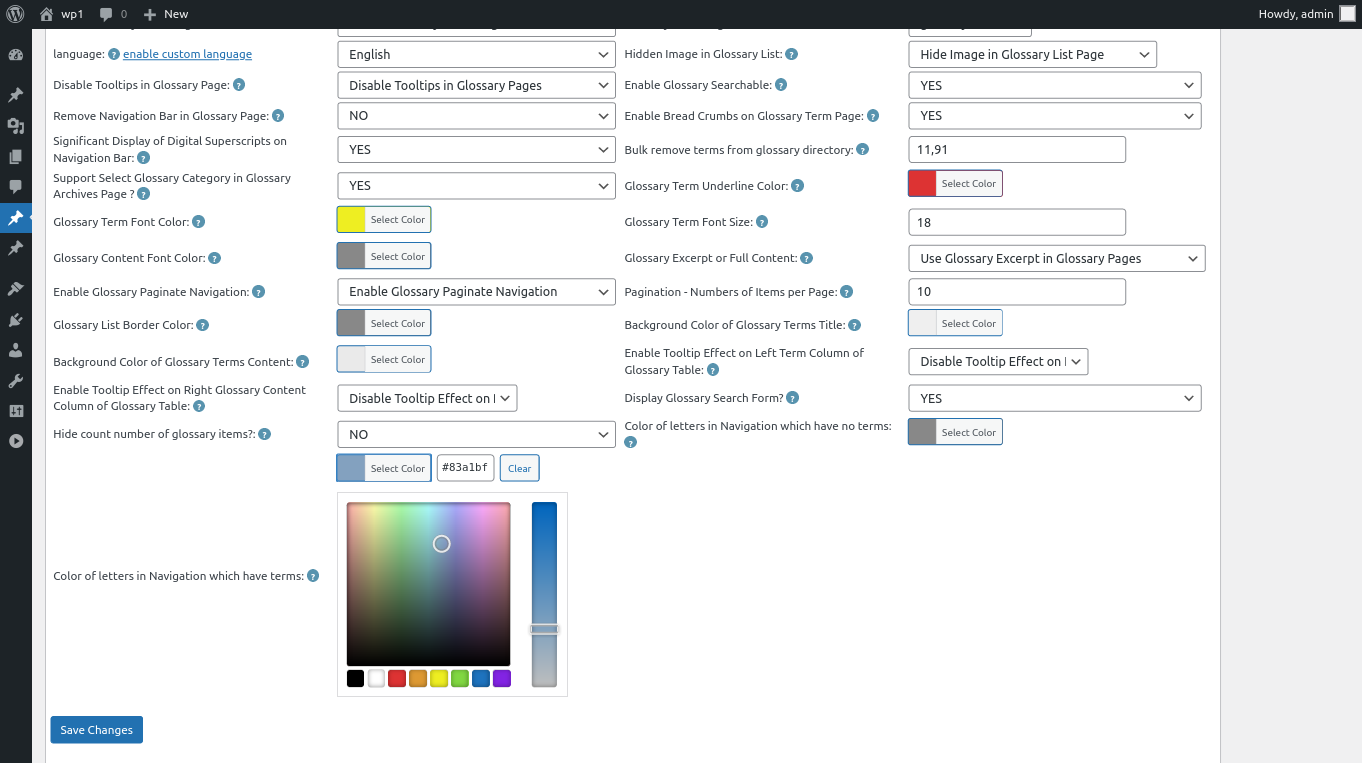
changing color of letters in Navigation which have terms
6: In the color picker, you will find the button “Clear”, once click the “Clear” button, you can remove the customized color of letters in glossary navigation bar, it looks like this:
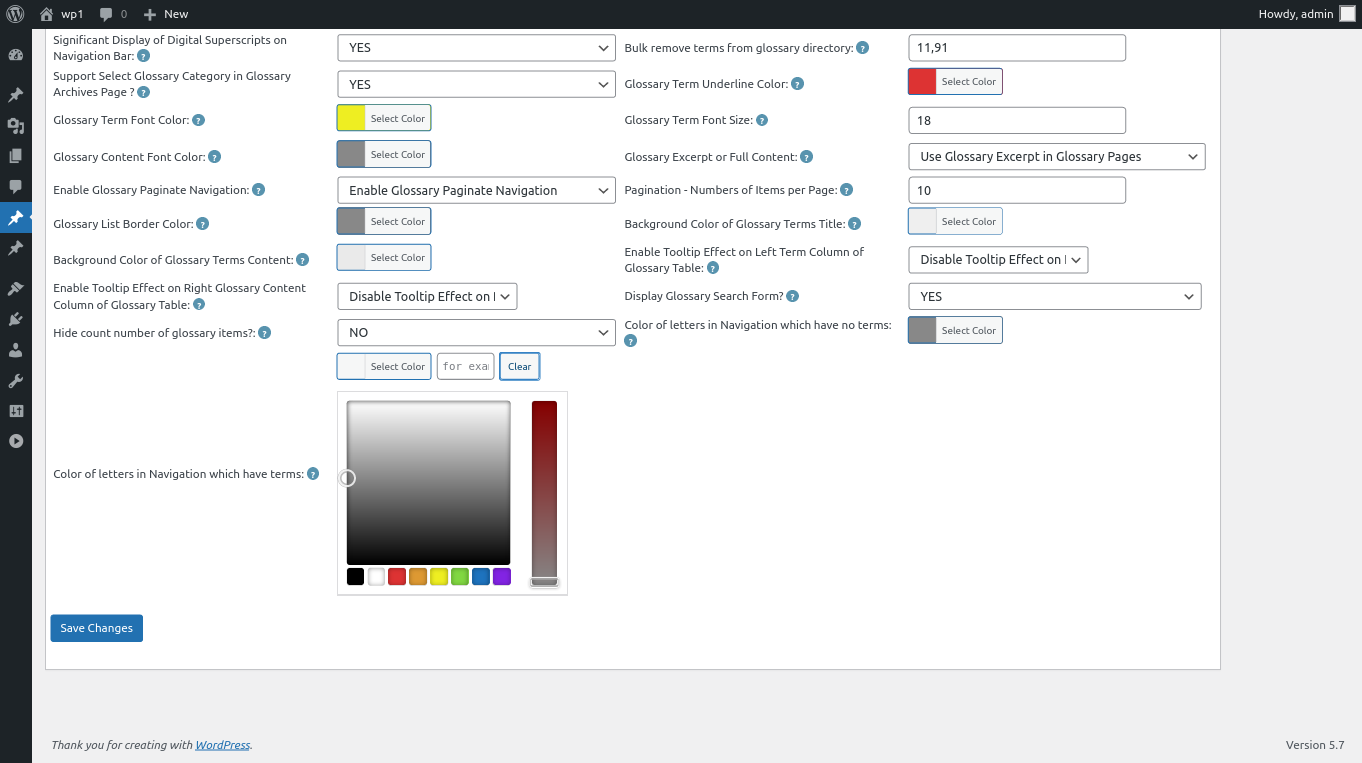
clear color of letters in wordpress glossary navigation bar
7: After clear the color of glossary letters, please remember to click “Save Changes” button at the bottom of the glossary settings panel, then in front end the “Color of Letters in Glossary Navigation Bar Which Have Terms” will be changed as you modified in here :):
Thanks for the great feature request, if you have any more question about wordpress tooltip plugin, please don’t hesitate to contact us, we are happy to help you solve it 🙂
Thanks, have a blessed weekend with your family 🙂
WordPress Tooltip Support




