
Hi, dear cherished WordPress Tooltip users,
I hope this message finds you in high spirits, enjoying a wonderful weekend with your loved ones. Yesterday, we reported that we released wordpress tooltips pro plus 28.4.8 to implement a feature requested by a wordpress tooltip job directory user — Support banning specific IDs from displaying jobs in the wordpress job directory , today he mentioned that it works well but he has a new feature in mind:
Hi there,
Thank you for the new version! It has successfully resolved the issue of disallowed job ads with specific JOB IDs appearing in the job directory.
However, I have a challenging problem that needs to be addressed. I was wondering if you could assist me with it. In WordPress Job Manager, employers can specify the type of job when posting job ads, such as internship, full time, freelancer, temporary, and so on. My users have expressed the desire to display these job types alongside the job title in the job directory. This way, job seekers looking for full time positions wouldn’t have to open job ads with job types like freelancer or temporary. It will not only save their time but also optimize my site’s resources by avoiding mismatches between candidates and job types.
I understand that developing this new functionality will be required, and I would greatly appreciate your help in solving this problem. Thank you!
Our developer of wordpress tooltips plugin checked this ticket, and we realized this amazing feature request in wordpress tooltips pro plus 28.5.8.
How to display job type under the job title for recruitment jobs in job directory?
1: Customer of WordPress tooltip pro plus plugin can click download wordpress tooltip to download the new version directly, new user please purchase a license of wordpress tooltip pro plus
2: Downloaded and install wordpress tooltip pro + plugin which version >= 28.5.8
New users please check our detailed video tutorail at WordPress Tooltips Video Tutorial 3: How to upload and activate wordpress tooltips pro plugin
3: Crete a new wordpres post and insert the wordpress tooltip job board directory shortcode :
[ jobmanagerdirectory ]
4: in wordpress dashboard, click tooltips menu item, then click glossary sub menu item
5 you will open glossary settings panel, it looks like this:
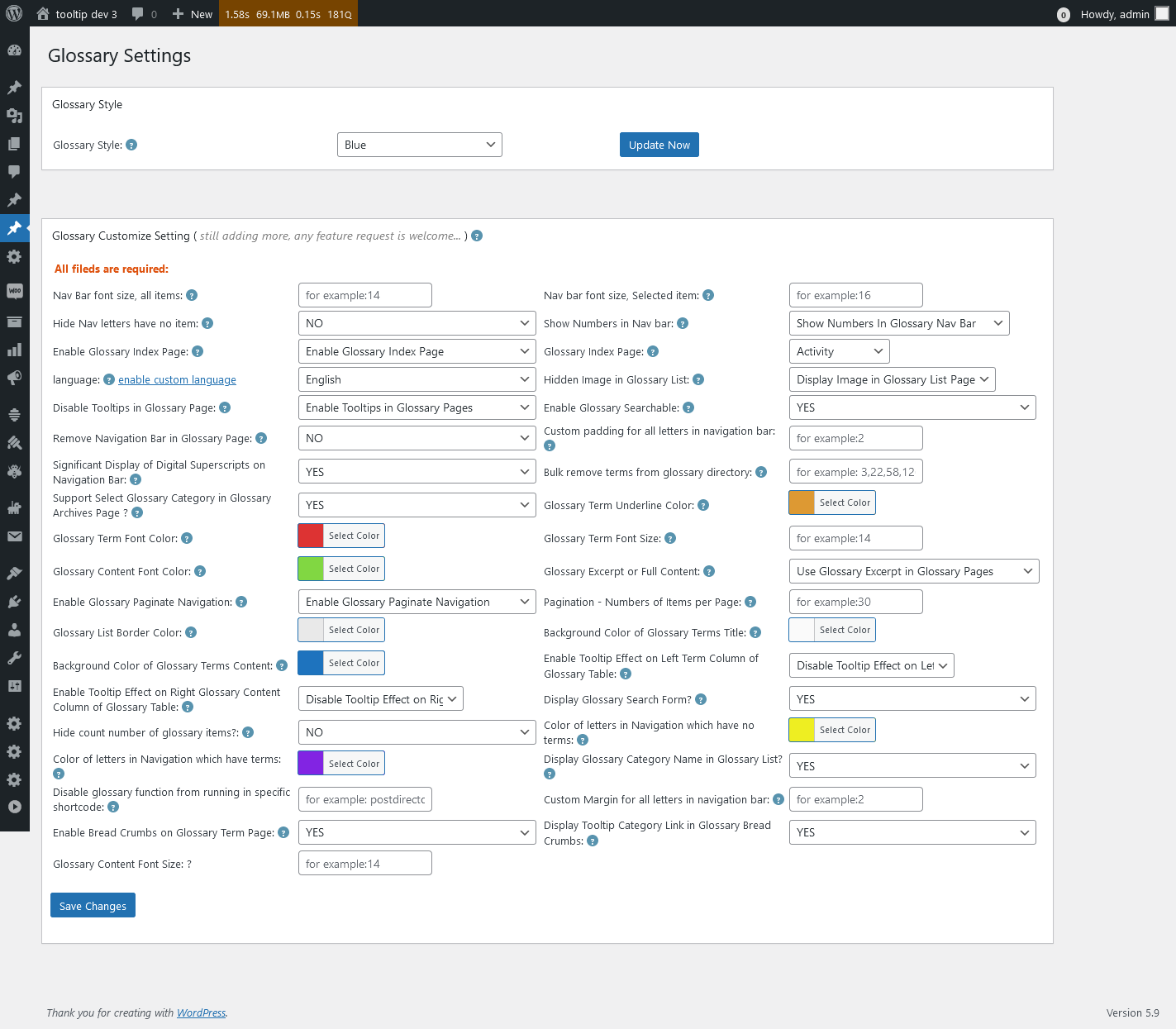
Glossary Settings in wordpress tooltips pro plus 27.5.8
In the screenshot, you will find the option “Display glossary category name in glossary list?”, please select “Yes”, then click “save changes” button
In front-end of Job board directory, you will find the job type displayed under the job type 🙂
Thanks for the great suggestion, if you have any more feature request or question, please don’t hesitate to contact us 🙂
Thanks, have a blessed weekend with your loved ones 🙂
Best Regards,
WordPress tooltips plugin support




