
Hi dear users of WordPress Tooltip, hope this message find you are doing well and having happy days with your family 🙂 We got a wordpress tooltip user’s feature request a few days before, in which he said he love the functions of wordpress tooltip plugin, and it is pretty good to insert youtube video into wordpress tooltip window in tooltip editor metabox, but he is using vimeo as his video hosting, he hopes to be able to quickly insert vimeo videos into wordpress tooltip window, just like the function of inserting youtube videos that we now realize, our developer lost his weekend to realize this feature of vimeo tooltip asap we can, this function supported in wordpress tooltips pro plus 17.9.8 🙂
What is Vimeo?
Vimeo is a video sharing platform that have 90 million creators worldwide. Vimeo is lunched in 2004 by filmmakers and users can upload / share / like / promote / rent videos via Vimeo.
What is WordPress Tooltip?
WordPress tooltip pro plus is a tooltips plugin for wordpress, which be designed to help you create colorful, varied and graceful tooltip styles to present the content to your users, with lively and elegant animation effects, and save your valuable screen space.
When the users hover over an item, the colorful tooltip popup box will display with the animation effect. You can add video, audio, image, and even other content which generated by 3rd wordpress plugins like QR code, Amazon AD, Google Map in tooltip popup box via wordpress standard editor, it is very easy to use.
WordPress tooltip pro plus support all functions included wordpress tooltip pro and wordpress tooltip free, and wordpress tooltip pro + added more amazing tooltip functionality based on user’s suggestion, also wordpress tooltips pro + plugin have 18 advanced wordpress tooltip addon, for example, tooltips PDF viewer, SVG tooltips, WikiPedia tooltips, Advanced WooCommerce tooltips, WooCommerce Glossary, Advanced Glossary, Comment Tooltip, Vimeo Tooltip, Category Tooltip, Bullets Screen , and we are adding more and more advanced functions and advanced wordpress tooltip addon, for example, a developing version will support display tiktok video in wordpress tooltip easily 🙂
How to insert vimeo videos into wordpress tooltip pop-up window quickly?
1 Download wordpress tooltip plugin from wordpress tooltip site — tooltips.org
2 Login your wordpress site, then deactivate and delete old version of wordpress tooltip plugin
3 Click “Plugin ” menu to Upload and activate the wordpress tooltip pro plus plugin which >=17.9.8 — it is a .zip file
4 Click tooltips menu item, and then click “Addons” sub menu item, you will open wordpress tooltip addons panel, it looks like this:
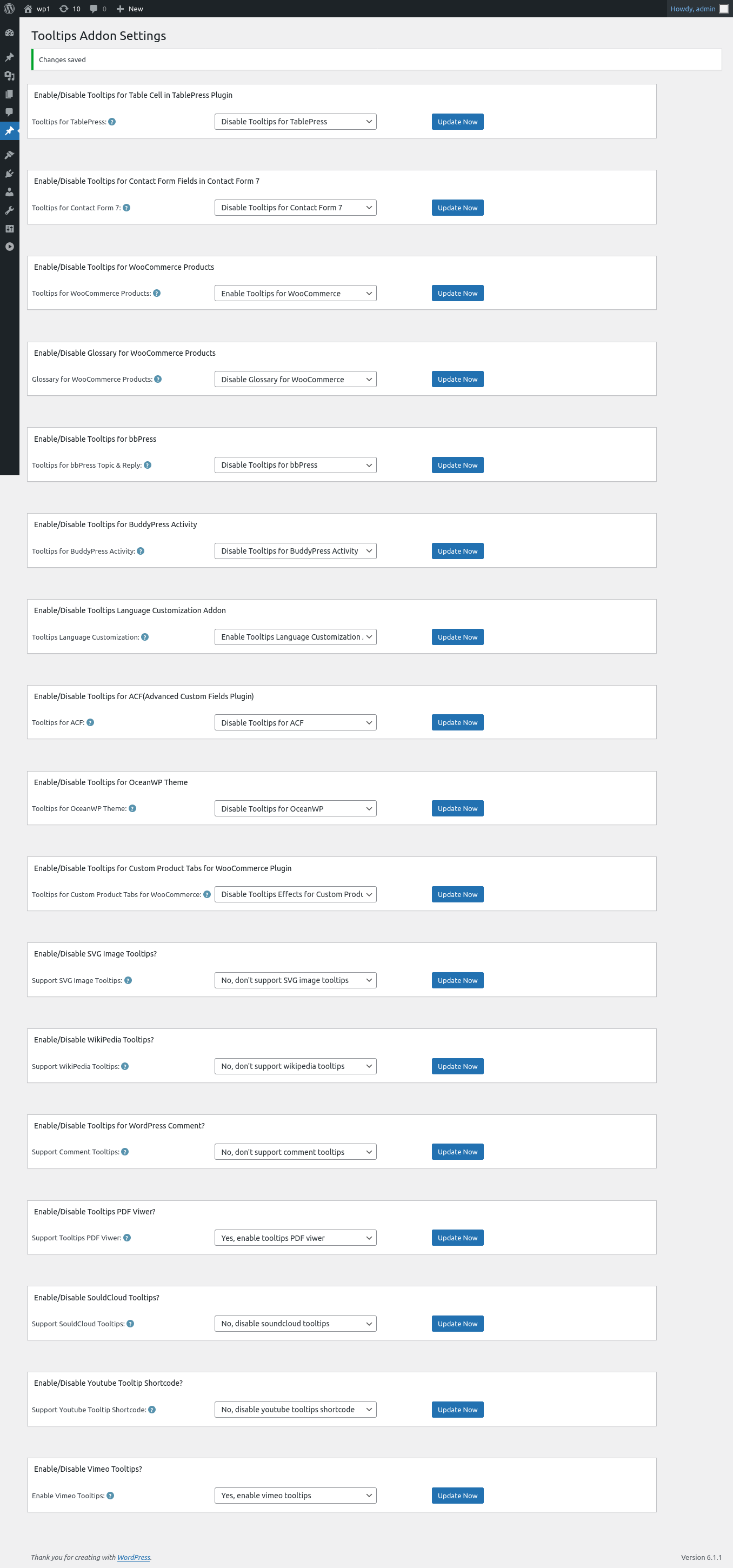
vimeo addon optin wordpress tooltip addon panel
5: As you can see, at the bottom of the wordpress tooltip addon settings panel, there are a new option “Enable / Disable Vimeo Tooltips”, if you want to insert vimeo videos in wordpress tooltip easily, just select “Yes, enable vimeo tooltips” option and click “Update Now” blue button
6: Then in wordpress dashboard, please click “Tooltips” menu item and then click “Add New” tooltips sub menu item, you will open wordpress tooltips editor, then you will find “insert vimeo video into tooltips” metabox at the right hand of wordpress tooltips editor, it looks like this:

insert vimeo video in tooltip
7: In Vimeo Video URL, please enter the vimeo URL in here, the vimeo video url looks this player.vimeo.com/video/239822819 — this url is our wordpress tooltip glossary video which hosed on vimeo
and then you can customized vimeo video height and vimeo video width
After enter tooltip title and added wordpress tooltip contet(you can pass this section if you just want to insert vimeo video without any text), then click “Plublish” to publish the wordpress tooltip term
8: In front end, when user hover the wordpress tooltip term in wordpress post, they will see a vimeo video in wordpress tooltip pop-up window
That’s all
Conclusion:
WordPress tooltip pro + plugin is a powerful tooltip plugin used to help wordpress editor insert rich multimedia content and colorful text content, with wordpress tooltips pro +, you can insert video tooltips like vimeo video , youtube video, local video, and audio tooltips by a few clicks and paste in 1 minutes, also we are developing more amazing features based on amazing users suggestion, for example tiktok tooltip 🙂





Leave a Reply