WordPress Tooltip Glossary Plugin 13.2.0 Released

Hi Dear WordPress Tooltip Glossary Users,
Hope this message find you are doing well and have happy weekend with your family! 🙂
We are happy to report you, we have released wordpress tooltip glossary plugin 13.2.0, in wordpress tooltip plugin 13.2.0,  our developer finished a new code audit, we improved tooltip shortcode robustness, after many tests, we found a php warning in log when running a social network plugin, if will not break the site or plugin, in front end, no any errors will be find by users, but we still tweak our codes to avoid this php warning in log when using a wordpress social network plugin 🙂
Please download wordpress tooltip glossary 13.2.0 asap, if you have any question or suggestion of wordpress tooltip plugin, please don’t hesitate to tell us 🙂
Thanks, have a blessed day with your family 🙂
Best Regards,
WordPress Tooltip Glossary Plugin Support Team
Tagged with: , , ,

We have updated product description of wordpress faq free plugin and wordpress 404s free plugin

Hi Dear WordPress Tooltip Glossary Users,
Hope this message find you are doing well and having happy days with your family! 🙂
We are happy to report you, we have released new version of wordpress faq plugin and wordpress 404s plugin, and we have updated product description of wordpress faq free plugin and wordpress 404s free plugin, to add new features of wordpress FAQ plugin, and wordpress 404 Page not found plugin 🙂
WordPress FAQ plugin and wordpress 404s plugin is free plugins which developed for wordpress tooltip glossary plugin users, based on tooltip user’s request and suggestions. You can download WordPress FAQ plugin and wordpress 404s plugin free of charge.  If you have any question or suggestion of wordpress tooltip plugin, please don’t hesitate to tell us 🙂
Thanks, have a blessed weekend with your family 🙂
Best Regards,
WordPress Tooltip Glossary Plugin Support Team
Tagged with: ,

WordPress FAQ Plugin 3.5.3 Released

Dear WordPress FAQ Plugin Users,
Hope this message find you are doing well and have happy days with your family! 🙂
I am happy to report you, we have released wordpress FAQ plugin 3.5.3 🙂
We get a ticket from an WordPress FAQ plugin’s user, in which he told us, in his wordpress booking site, he have added a lot of  description as wordpress posts for each section of his booking site, also some of his reply is made by his bbpress plugins, in his bbpress forum, he replied many users question, with detailed text and images and video,   he do not want to re-write these sections again as FAQ items, he hope our wordpress FAQ plugin have ability to use existed wordpress post as wordpress FAQ items, and he hope, if it is possible, use his bbPress plugin’s topic as wordpress FAQ items!
Sure, this is really a useful idea for wordpress FAQ users, yes, we often write many wordpress posts for our products, and sometimes, we use 3rd plugins, for example, bbpress, ACF… and so on to create replies or notes for our products, in this case, we do not want to make duplicate content again, if we can just use existed content from wordpress post or wordpress custom posts, that is great, it make life more easier 🙂
Based on this amazing wordpress FAQ plugin user’s suggestion, we have developed wordpress FAQ plugin 3.5.3, now You can use any existed post or even custom post as FAQ, so you will not need re-write duplicated content in FAQ, we will reuse the post title as FAQ title, and reuse the post content as FAQ content.For example, if you have a bbpress topic, and you think that is helpful for users, you can just add post id in FAQ editor, and we will use the specified bbpress topic title as FAQ title and use bbPress topic content as FAQ content… and so on
When you edit a FAQ term, in the right hand of the FAQ editor, you will find “Use existed post as FAQ post?” metabox, just enter the existed post id in the input box, then the title and content of this FAQ will be replaced with your specific post . It looks like this:
Using existed post as wordpress FAQ post

Using existed post as wordpress FAQ post

WordPress FAQ plugin is a free plugin which developed for wordpress tooltip plugin users, you can download wordpress FAQ plugin free of charge, if you have any question or suggestion of wordpress FAQ plugin, please don’t hesitate to tell us 🙂
Thanks, have a blessed day with your family 🙂
Best Regards,
WordPress Tooltip Glossary Plugin Support Team
Tagged with: , ,

WordPress Tooltip Glossary Plugin 13.1.8 Released, New Advanced WooCommerce Tooltips Addon

Hi Dear WordPress Tooltip Glossary Users,

Hope this message find you are doing well and have a happy weekend with your family! 🙂

I am happy to report you, based on user’s request, we have released WordPress Tooltip Glossary Plugin 13.1.8, in this version, we added a new Advanced WooCommerce Tooltip Addon.

An amazing user created a ticket, in which he requested to have ability to control enable / disable woocommerce tooltip in different woocommerce section, so there are not too much woocommerce tooltips in his woocommerce product pages, woocommerce shop pages… and so on, this is great, his suggestion is right, users should have ability to decide woocommerce tooltip show or disappear in different woocommerce components, we re-developed our woocommerce tooltip addon to allow users enable / disable woocommerce tooltip in woocommerce pages, it looks like this:

advanced woocommerce tooltips settings panel

advanced woocommerce tooltips settings panel

You can see, via advanced woocommerce tooltip settings panel, you can:

enable / disable Tooltips for WooCommerce Product Title

enable / disable  Tooltips for WooCommerce Product Short Description

enable / disable  Tooltips for WooCommerce Product Attribute

enable / disable  Tooltips for WooCommerce Product Bundles Plugin

enable / disable  Tooltips for WooCommerce Product Specifications Plugin

You can find our demo at woocommerce tooltip demo

Also we get a few more feature request of woocommerce tooltip,  we are adding new amazing woocommerce tooltip features in advanced woocommerce tooltip addon, you will see it soon 🙂

Please note, Advanced WooCommerce Tooltip Addon is a default tooltip addon which included in wordpress tooltips multiple-site license version. It is not included in wordpress tooltip single license version or wordpress tooltip free plugin version, however, you can purchase advanced woocommerce tooltips addon dedicated for your tooltip single license with $4. If you are wordpress tooltips multiple-site license buyer, please don’t purchase woocommerce toooltip addon duplicatly 🙂


If you have any question or suggestion of woocommerce tooltip plugin, please don’t hesitate to tell us 🙂

Thanks, have a blessed weekend with your family 🙂

Best Regards,
Wordpress Tooltip Glossary Plugin Support Team

Tagged with: , ,

WordPress Tooltip Site Upgraded, Migrate Hosting, Re-design the Whole Site

Hi Dear WordPress Tooltip Glossary Users,

Hope this message find you are doing well and have happy days with your family! 🙂

We are happy to report you, in last 2 weeks, we have migrate our sites to another hosting, with more amazing functions, also we have re-design the whole site to make it more clean, fast, and user-friendly, our prev design of wordpress tooltip site is a little “heavy”, “official”, if you check our current version of wordpress tooltip site, you will find it is a little more light, “soft”, “geek”, faster, and user-friendly 🙂

In last days, we are work hard to move our sites to new hostings, from files, mysql, mails… and so on, with days and nights, maybe you find you cannot connect wordpress tooltip with a short time, or maybe you found some sections on wordpress tooltip site not works well, or may be your mail ticket lost, we are sorry for this, we are sorry for this, we have finished the migrate work and all things restart working now, if any problem you found, please connect us, we are very happy to help you 🙂

Now we have finished the upgrade process progress of migrate WordPress Tooltip site, new site works well, with more powerful functions, based on our plan, we will start to build more services for users based on new server, for example, CDN, new support system, more free and pro plugins, and a few pro themes, demo sites…. and so on. 🙂

If you have any question or suggestion of wordpress tooltip site, please don’t hesitate to tell us 🙂

Thanks, have a blessed day with your family 🙂

Best Regards,
Wordpress Tooltip Glossary Plugin Support Team

Tagged with: ,

WordPress 404s Plugin 2.8.3 Released, Opt to Send 404 Page Not Found Alert to Webmaster’s Mail Box

wordpress 404 plugin

Dear WordPress Tooltip Glossary Users,

Hope this message find you are doing well and have happy days with your family! 🙂
We get an amazing suggestion of wordpress 404s plugin, an amazing user told us, he migrated his site to wordpress, and there are many 404 page not found error in his new wordpress site,  he downloaded our wordpress 404 plugin and wordpress 404s plugin helped he solved many 404 page not found problems, he are worry about there are still many new 404 pages in his site, he do not want to lost his SEO ranks in search engines, he have used a lot of time to check 404 logs panel in our wordpress 404s plugin, but he do not want to always check 404 page not found logs manually, he hope we offer a method to find 404 page not found logs automatically, and sent 404s notification to his mail box automatically, so he will save a lot of time to check 404 page not found errors 🙂
Woo! This is a great idea! Yes, of course, our wordpress 404s plugin should works like this way! Why we need program? Because  program will detect, alert and solve problems automatically, released human beings hands and brain, Yes! Right! Good Idea!
Once get this amazing suggestion of WordPress 404s Plugin, our developer lost his sleep to work from day to night to realize this great idea! Now  WordPress 404s Plugin 2.8.3 Released, if you check into WordPress 404s Plugin global settings panel, you will find you can  Opt to Send 404 Page Not Found Alert to Webmaster’s Mail Box Automatically!
It looks like this:
404s Global Settings panel in version 2.8.3

404s Global Settings panel in version 2.8.3

You can see in wordpress 404s plugin global settings panel, we have added a new option “send 404 alert with page URL to email?”, you can enable or disable this option in wordpress 404s plugin back end, if you try to enable the option “send 404 alert with page URL to email?”, if you select “YES”, you will find a input box which allow you specific the admin mail which used to receive 404 page not found error alerts, if you do not enter a new mailbox in here, by default, wordpress 404s plugin will use your wordpress admin mailbox to send 404 page not found error alerts. 🙂

Thanks for the great idea, this help wordpress 404s plugin users a lot! No people like watch logs always, we develop scripts for users, the goal is release user’s hand and brain and time, I had to say, this is really a very helpful idea, thank you so much,  we are very happy to realize it  for you,  if you have any question or suggestion of wordpress 404 plugin, please don’t hesitate to tell us 🙂
WordPress 404s plugin is a free plugin for users of wordpress tooltip plugin, you can download it free of charge. 🙂
Thanks, have a blessed day with your family 🙂
Best Regards,
WordPress Tooltip Glossary Plugin Support Team


Tagged with: , , , , ,

WordPress 404s Plugin 2.4.7 Released

wordpress 404 plugin

Hi Dear WordPress Tooltip Glossary Users,

Good morning! We are happy to report you, We have released WordPress 404 plugin version 2.4.7. We get ticket of wordpress 404 plugin, in the ticket, the user told us he find a php warning, after check into his error logs, we find it is because, in paginate links of “404 Page Not Found Log” panel, a few pages did not use HTTPS,  we have fixed this problem and re-developed a new version of WordPress 404 plugin 2.4.7 to solve it, please download WordPress 404 plugin 2.4.7 asap 🙂
WordPress 404s plugin is a free plugin for users of wordpress tooltip plugin, you can download it free of charge. 🙂
Thanks report the bug to us, we are very happy to fix them for you,  if you have any question or suggestion of wordpress 404 plugin, please don’t hesitate to tell us 🙂
Thanks, have a blessed day with your family 🙂
Best Regards,
WordPress Tooltip Glossary Plugin Support Team
Tagged with: , ,

WordPress 404s Plugin 2.4.5 Released

wordpress 404 plugin

Hi Dear WordPress Tooltip Users,

Hope this message find you are doing well and have happy days with your family! 🙂
We are happy to report you, We just released WordPress 404 plugin version 2.4.5 🙂
We get a user’s feedback, in his ticket, he told us, when he check his errror log in his apache server, he found a php warning error, and he transfer error logs to us, we dig into these logs, finally we find the reason is some pages have no $_SERVER[‘HTTP_REFERER’], we have fixed this problem and re-developed a new version of WordPress 404 plugin 2.4.5 to solve it, please download WordPress 404 plugin 2.4.5 asap 🙂
WordPress 404s plugin is a free plugin for users of wordpress tooltip plugin, you can download it free of charge. 🙂
Thanks report the bug to us, we are very happy to fix them for you,  if you have any question or suggestion of wordpress 404 plugin, please don’t hesitate to tell us 🙂
Thanks, have a blessed day with your family 🙂
Best Regards,
WordPress Tooltip Glossary Plugin Support Team
Tagged with: , , , ,

WordPress Tooltips Glossary Plugin 13.0.8 Released, Optimized CSS and Javascript Files

load tooltip javascript in wordpress footer
Dear Users of WordPress Tooltip Glossary Plugin,
Hope this message find you are doing well and having  happy weekend with your family! 🙂
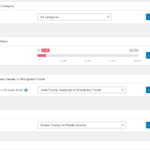
We are happy to report you, we have released wordpress tooltip plugin 13.0.8, in this wordpress tooltip version, we optimizied css and javascript files, to speed up your wordpress tooltip site, changes included in jquery.directory.min.js,jquery.qtip.min.js, directory.min.css, also if you want to speed up your wordpress tooltip glossary loading speed, you can enable “Load Tooltip Javascript In WordPress Header or WordPress Footer” option in ” Tooltips Global Settings” panel, via click wordpress admin -> tooltips menu -> global settings sub menu, it looks like this:
load tooltip javascript in wordpress footer

load tooltip javascript in wordpress footer

If you have any question or suggestion of wordpress tooltip plugin, please don’t hesitate to tell us 🙂
Thanks, have a blessed day with your family 🙂
Best Regards,
WordPress Tooltip Glossary Plugin Support Team
Tagged with: , , , , ,

WordPress Tooltip Glossary Plugin 13.0.4 Released, Support SVG Tooltip Better

Hey Dear Users of WordPress Tooltip Glossary Plugin,
Hope this message find you are doing well and having happy days with your family! 🙂
We have released wordpress tooltip glossary plugin, in this wordpress tooltip version, may be you know, in wordpress tooltip glossary plugin 12.9.8, wordpress tooltip plugin start support SVG tooltip, today, an svg tooltip user told us, he find a warning log in his apache log,  based on user’s report, we have fixed a problem of wordpress SVG tooltip,  and released WordPress Tooltip Glossary Plugin 13.0.4 to fix it 🙂
If you are wordpress tooltip multisite license user, please download and install wordpress tootip glossary plugin 13.0.4 asap you can, if you are wordpress tooltip single license user, you can ignore this version. We are develop a new version of  wordpress tootip glossary plugin, you will see it soon. If you have any question or suggestion of wordpress tooltip plugin, please don’t hesitate to tell us 🙂
Thanks, have a blessed day with your family 🙂
Best Regards,
WordPress Tooltip Glossary  Support Team


Tagged with: , , , ,
Top


