
Hi Dear WordPress Tooltip plugin users, hope this message find you are doing well and have happy weekend with your family 🙂 We have released wordpress tooltips pro plus 16.0.8, to allow wordpress glossary admin to change color of letters which have terms in glossary Nav bar, based on an amazing users’ feature request 🙂
How to Change Color of Letters in Glossary Navigation Bar Which Have Terms?
1: Login your account in wordpress tooltip plugin site
2: Click download link in top menu bar at wordpress tooltip site
3: In my account panel download newest version of wordpress tooltip plugin
4: Login your wordpress site as wordpress admin
5: In plugins panel,delete the old version of wordpress tooltips pro plugin
6: Then click “add new” button at the top of plugin panel to upload the zip file of the wordpress tooltip glossary plugin
7: Activate the wordpress tooltips pro plus plugin
8: In wordpress dashboard, click “Tooltips” menu item
9: Click “Glossary Settings” sub menu item
10: At the bottom of the “Glossary Settings” panel, you will find the new option “Color of Letters in Glossary Navigation Bar Which Have Terms”, it looks like this:

glossary custom panel in wordpress glossary 16.0.8
11: In the option “Color of Letters in Glossary Navigation Bar Which Have Terms”, you can click the color picker to change the color,it looks like this:
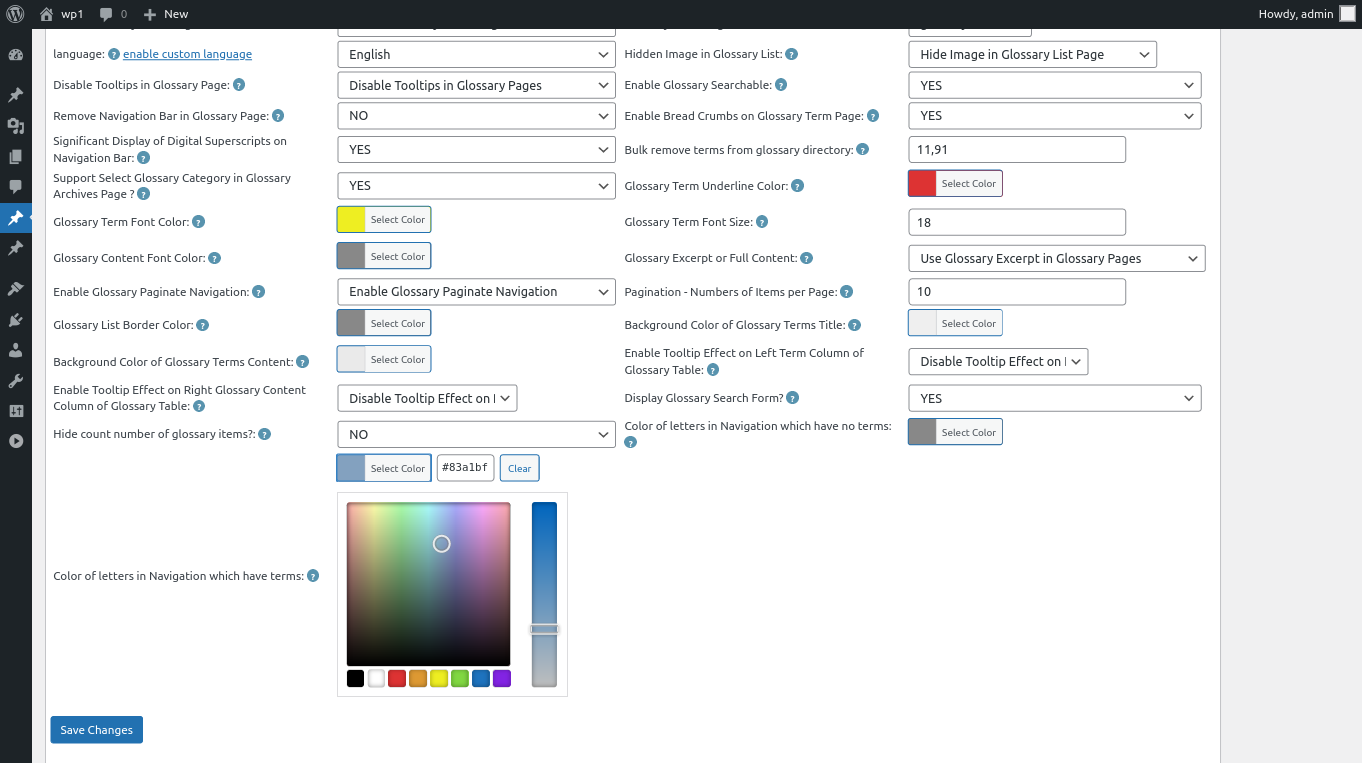
changing color of letters in Navigation which have terms
then just click “Save Changes” button, in front end the “Color of Letters in Glossary Navigation Bar Which Have Terms” will be changed as you modified in here :):
12: For example, the result in front end of the step #11 will looks like this:
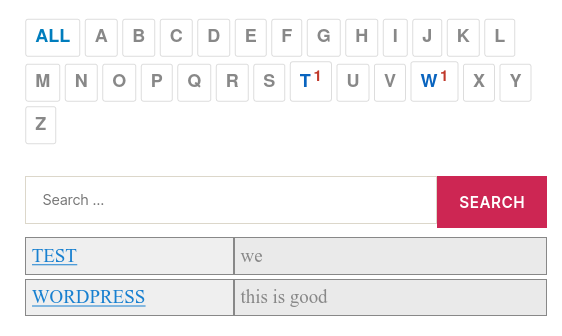
customized color of glossary terms which have items
Thanks for the feature request, if you have any more requirement, please don’t hesitate to contact us, we are happy to do it for you 🙂
Thanks, have a blessed weekend with your family 🙂
WordPress Tooltip Support





Leave a Reply