

Description
What is WordPress Spam Email Blacklist Plugin?
WordPress Spam Email Blacklist Plugin is a wordpress plugin which allow you build a blacklist to prevent spammers register on your wordpress site.
Why I need WordPress Spam Email Blacklist Plugin?
One day when I try to reply users email ticket, I get an error notify which told me I over the limitation of SMTP, I checked all my settings and everything is works well, finally in wordpress users menu, I found I have about 10,000 users in a few days, and nearly all of these users is sapmmers and all of them have same email domains. In web logs I find hugh register records, I tried black these IPs in .htaccess, it seems works, but a few days later, I found these spammers change their IP for each spam account, so I decide develop a plugin to block these spammers email domain, this is why I develop the wordpress email blacklist plugin.
How WordPress Spam Email Blacklist Plugin Working?
WordPress spam email blacklist plugin will hook wordpress register API to scan each wordpress new user registration progress, when we found there are any email address is listed in blacklist, we will prevent the registering on your site, and tell spammers: “Sorry: Your email address is not allowed in this site”. On my bbPress site, it looks like this:
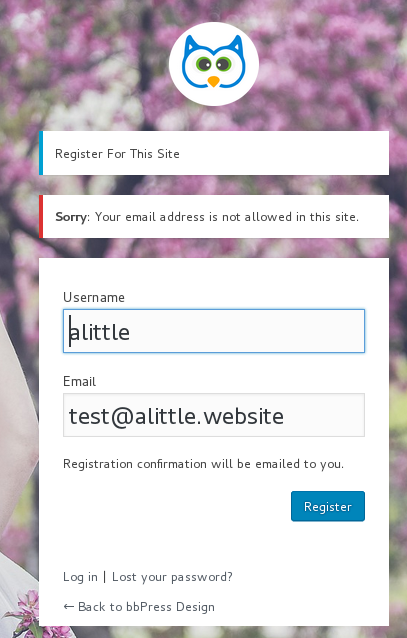
spam email register be stopped by the plugin
How to Install WordPress Spam Email Blacklist Plugin?
It is very simple:
#1 Please download bbPress blacklist plugin in https://tooltips.org/.
#2 Please login your wordpress admin area and click “Plugins” menu item,then click “Add New” sub menu item
#3 In “Add Plugins” panel, click “upload plugin” button and upload the plugin zip file and activate the plugin
That’s all
How to Use WordPress Spam Email Blacklist Plugin?
It is very easy to use wordpress spam email blacklist plugin. After installed wordpress email blacklist plugin, you will find Blacklist-Whitelist menu item, please click Blacklist-Whitelist menu and then you will open Email Blacklist Settings panel, it looks like this:
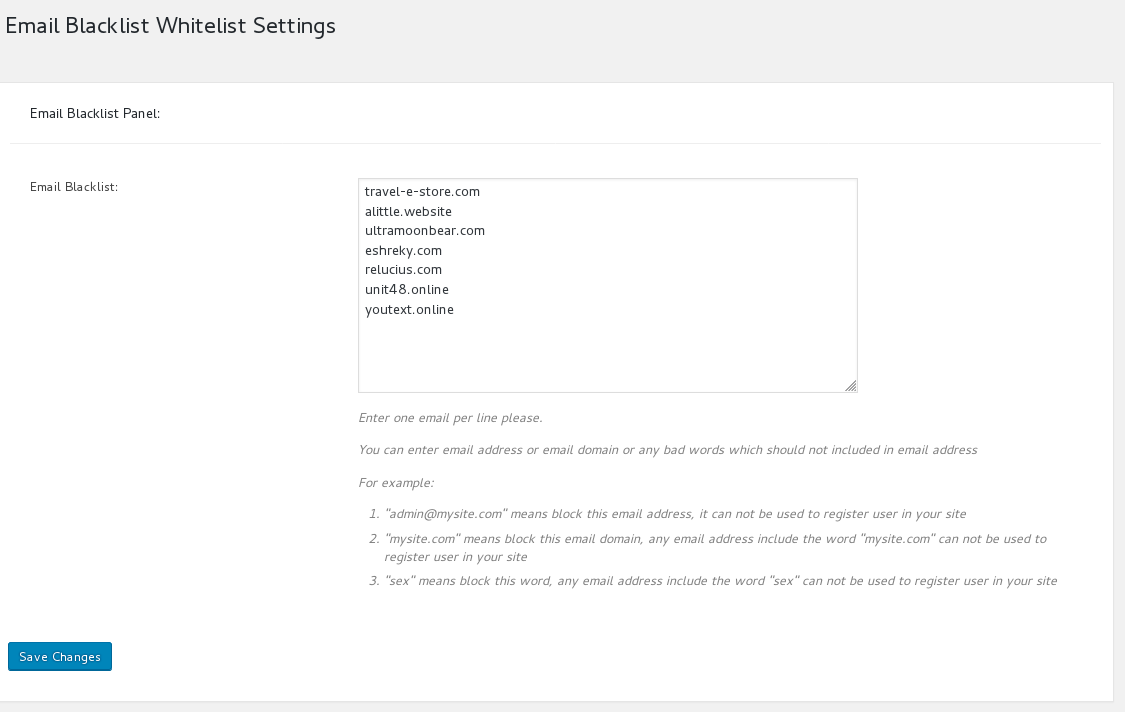
spam email blacklist settings panel
In “Email Blacklist Settings” panel, you can build your email blacklist in “email blacklist” option by this way:
#1 Enter one email per line
#2 You can enter email address or email domain or any bad words which should not included in email address
For example:
- “admin@mysite.com” means block this email address, it can not be used to register user in your site
- “mysite.com” means block this email domain, any email address include the word “mysite.com” can not be used to register user in your site
- “sex” means block this word, any email address include the word “sex” can not be used to register user in your site
Then in frontend, when users try to registered as a members of your site, if any bad words or email address / email domains in blacklist be detected in user email address, they will get a error notify “Sorry: Your email address is not allowed in this site” and they can not register as your site members.
How to Import bbPress Spam Email / Domain / Bad Words Blacklist From CSV File in One Click?
You can import bbPress spam blacklist from csv file in back end by this way:
1: Login wordpress admin area
2: Click “bbPress Blacklist” menu item
3 Click “Import Blacklist” sub menu item
4 You will open “Import blacklist from csv” Setting panel, it looks like this:
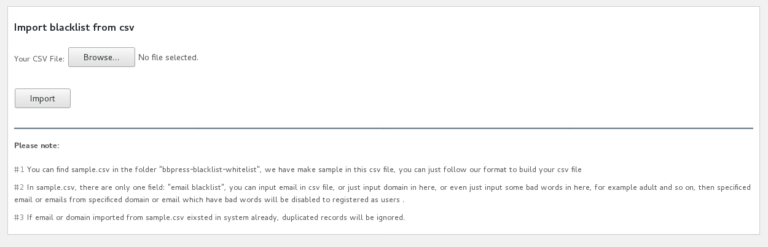
Import blacklist from csv
How to Install Default Spam Domain lists in bbPress Spam Blacklist Plugin?
What we doing more for bbPress blacklist plugin now?
We are adding a few more features for bbPress blacklist plugin, for example, stop spammer publish in your bbPress topics and bbpress replies…and so on, if you have any feature request, you are very welcome to tell us via contact us menu.
Just $6, you will stop spammers registered as spam users on your wordpress site